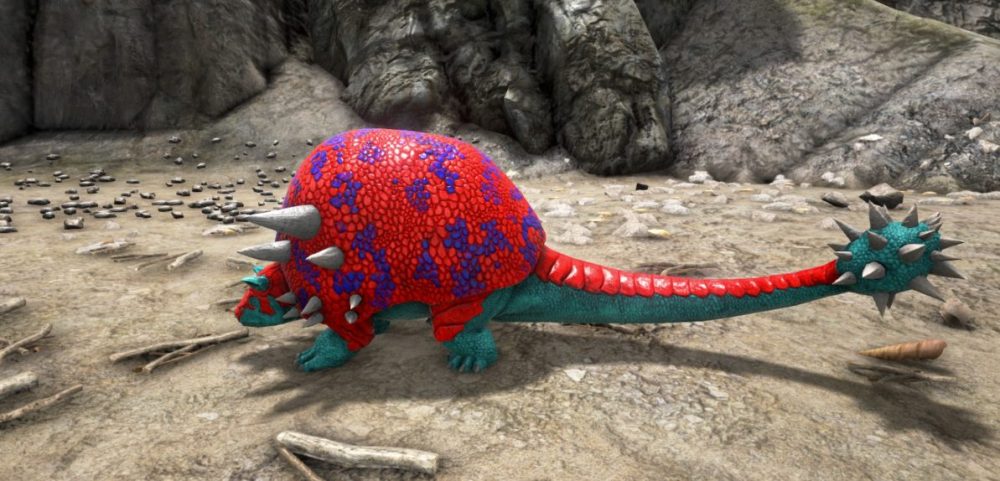
Greetings, survivors! Ever wanted to give your tamed creatures a unique appearance? In ARK: Survival Ascended servers, you can modify their colors using a built-in Color ID system, adding a personal touch to your gameplay. Customizing creatures not only enhances immersion but also lets players showcase their creativity and style. Additionally, colors can serve strategic purposes—dark hues, for instance, help creatures stay hidden at night. Many players enjoy recoloring their dinos for special events or simply to make their world more vibrant. Color changes can occasionally introduce server‑side lag, so to keep gameplay smooth, consider hosting on a gaming vps.
How to Change Creature and Dinosaurs Colors in ARK
To modify a creature's color, ensure it is nearby and that you have the appropriate Color ID selected.
Each creature has multiple body regions that can be customized, with a maximum of six regions per creature. These regions correspond to different parts of the body, and each one can be assigned a specific color using a numerical ID. By experimenting with different combinations, you can create a variety of distinctive appearances for your tamed creatures.
To apply a new color, follow these steps:
Face the creature you wish to customize.
Open the in-game console.
Enter the command:
setTargetDinoColor
Here, you will specify a region (from 0 to 5) and the Color ID corresponding to the desired shade.
Changing the colors of your tamed creatures makes your adventures more engaging, whether for self-expression, team coordination, or tactical advantage. Bright, bold colors can make your creatures stand out, while muted tones may help them blend into the environment.
Invite your friends, experiment with different looks, and bring your ARK world to life with your own colorful creations.
Enjoyed reading the article? Visit our Blog section and learn even more exciting things about your favorite games! Play together with GODLIKE.
I’m Mr.Brauwn, and I’ve been part of the Minecraft world for over 10 years. Like many others, I started playing with friends in the early versions, but soon I discovered that servers had enormous potential to create unique experiences. Servers and Projects Over time, I specialized in creating custom servers, developing private projects, events, and collaborations with content creators. Configuring plugins, designing systems, and shaping communities quickly became an essential part of my daily life. The Leap into Content Creation After so many years working on servers, I realized I could also share all that knowledge and those experiences visually. That’s how I started streaming on Twitch, showcasing my own servers and playing on them with the community. From Twitch to YouTube Later on, I understood that this content shouldn’t only remain in livestreams. I decided to launch my YouTube channel, where I share curiosities, tutorials, plugin reviews, updates, and technical aspects of Minecraft. It’s a space for other players and creators to discover the same potential I once found in this game. What Minecraft Means to Me For me, Minecraft is more than just a game. It’s a part of my daily life: recording, editing, testing mods, configuring plugins, building, and sharing with my community. After more than a decade, my goal remains the same: to create, inspire, and enjoy this infinite world alongside everyone who joins me on the adventure.
TL;DR Valguero is back in ARK Survival Ascended servers as a free expansion map a 63 km² sandbox where glaciers meet lava fields. Expect a double Wyvern trench (Ice above, Fire below), an Aberration Trench with…
ARK Multiplayer Looking for the best ARK server hosting to run ARK: Survival Evolved and its DLC maps with smooth tick rates, low ping, and easy mod management? This guide ranks the top ARK server…
As part of the game’s tenth anniversary, ARK: Aquatica will be the next big DLC for ARK Survival Evolved servers. It will come out on July 15, 2025. In this new chapter, the familiar survival…