


 en | USD


 CHAT WITH GODLIKE TEAM



How to Craft, Use and Customize a Bed in Minecraft

- 5 min read
- 1 views
- 0 likes
When you first start playing Minecraft server hosting, getting through the night can be tricky. Darkness brings all sorts of dangers: creatures you’d rather not run into, especially in hardcore mode. That’s why having a bed early on is more than just a decorative touch. It gives you a safe way to rest, avoid monsters, and set a new place to respawn if things go sideways.
Instead of spending the night hiding in a cave or digging a dirt hut, you can sleep through the chaos and wake up to a fresh morning. In this guide, we’ll explain exactly how to craft your own bed and why it’s such an important part of surviving in the game.
TIP
Why you need a Bed in Minecraft
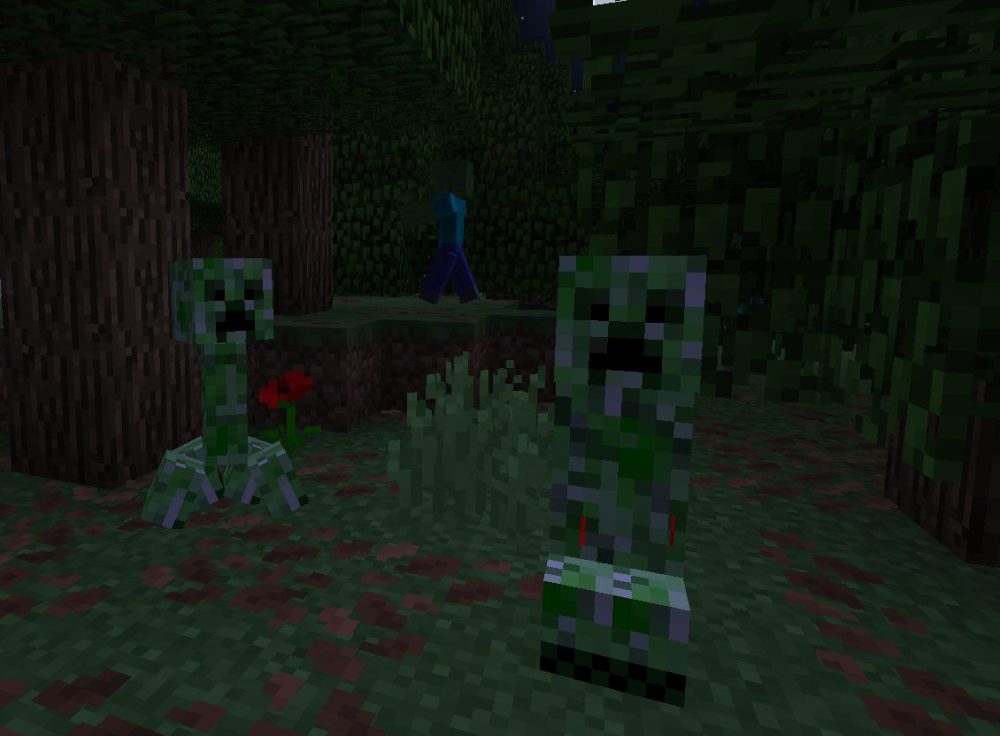
The sun sets fast in Minecraft, and when it does, your friendly pixelated world quickly fills with hostile mobs—zombies, skeletons, and even the dreaded creeper. Without a safe place to sleep, you’ll either be dodging danger or hiding in the dark. A bed lets you:
-
Skip the night and avoid most monsters.
-
Set your spawn point, so if you die, you respawn at the bed instead of the world’s default spawn.
If you want to survive, explore, and thrive, a bed is just as important as your pickaxe.
Minecraft Bed Recipe
To make a standard bed, you will need:
-
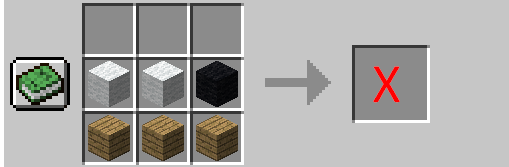
3 Wooden Planks – Can be any type of wood: oak, spruce, birch, jungle, acacia, dark oak, mangrove, or cherry.
-
3 Blocks of Wool – All must be the same color.
You can get wooden planks by punching a tree to collect logs, then placing those logs in your crafting menu to convert them into planks.
To collect wool, your best bet is finding sheep. Use shears (crafted from two iron ingots) to harvest wool without harming the animal. Don’t have shears yet? Then use your fists or a sword, but be prepared—the sheep won’t respawn their wool without grass and time.
IMPORTANT
All three wool blocks need to match in color if you're going for a specific look. Want a red bed? Get three red wool blocks. Want pink? Same rule applies
How to Craft a Bed in Minecraft
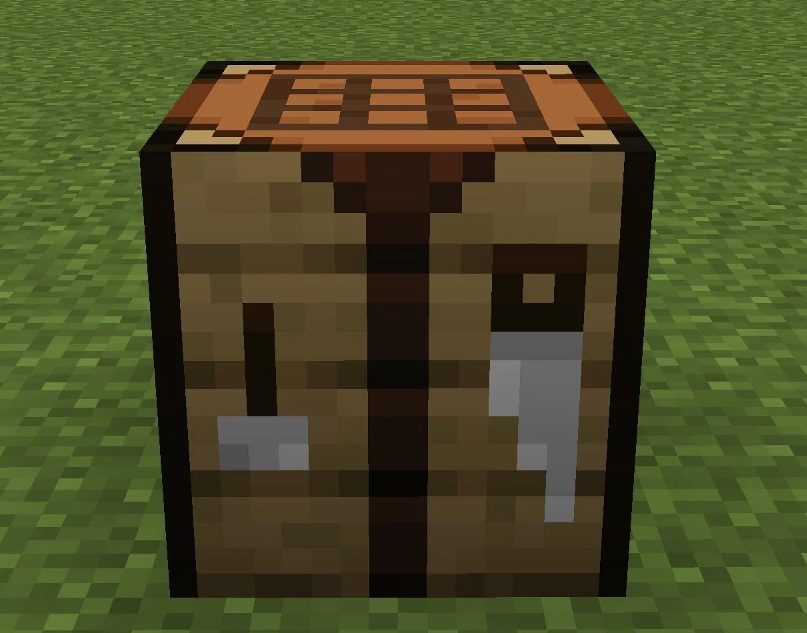
Open the Crafting Table
You need a 3x3 crafting grid, which means using a crafting table, not your basic inventory grid.
Place the Materials
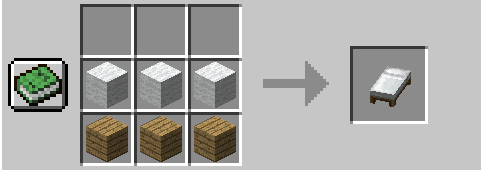
- Place the three wool blocks in the middle row.
- Place three wooden planks directly beneath them, in the bottom row.
Craft and Collect Your Bed
Once the pattern is complete, you’ll see a bed icon appear. Drag it into your inventory and it’s all yours!
TIP
How to Use a Bed
To use your bed, place it on any solid surface by right-clicking (or tapping, depending on your device). Then:
-
Sleep at Night – Wait for the sun to go down and right-click the bed to go to sleep.
-
Set Your Spawn – When you sleep in a bed, it becomes your new respawn point. If you break the bed later, that spawn point is lost.
NOTE
If there are monsters nearby, you won't be able to sleep until it’s safe. Light up your shelter with torches or close it off completely to stay secure
Customize Your Bed
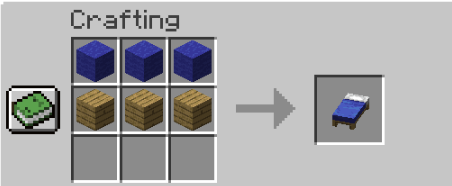
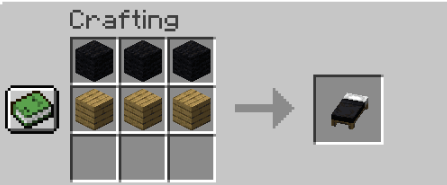
Want your bed to match your house? Use different dyes to recolor wool before crafting. Some cool combos include:
-
Blue wool for a calm, oceanic theme.
-
Black wool for a sleek, modern vibe.
-
Pink or magenta for a cozy cottagecore feel.
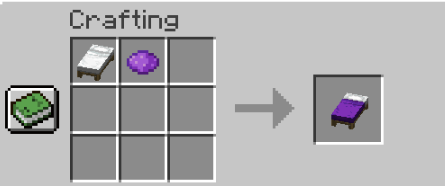
Dye can be crafted from flowers, plants, and even squids. Just toss it into your crafting table with white wool to get your desired shade.
Beds Explode in the Nether and End
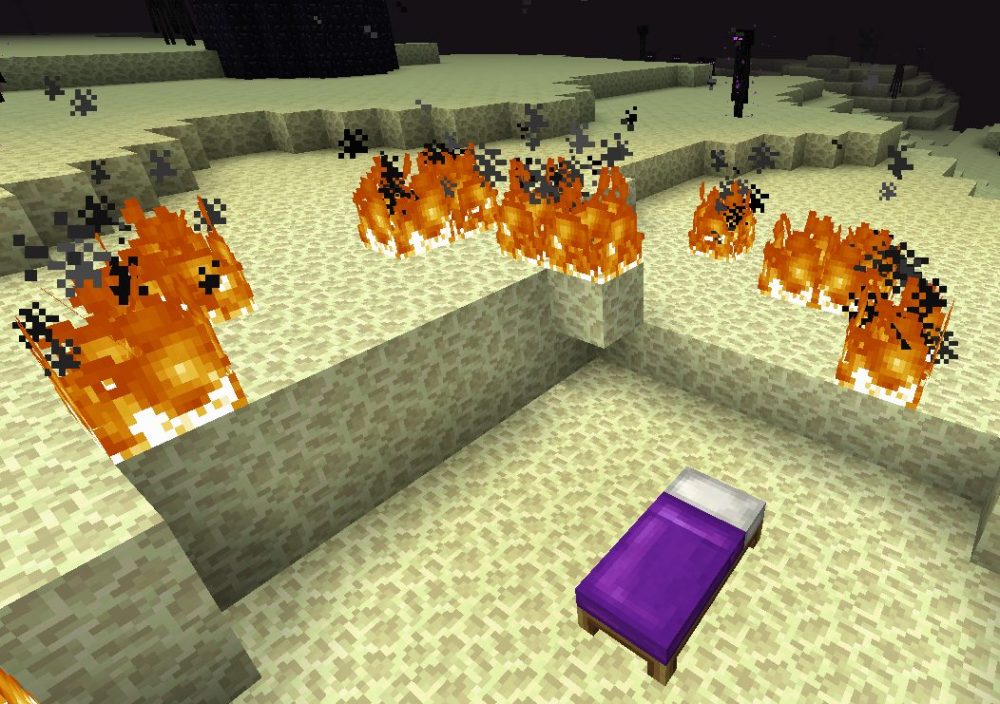
Planning to set up camp in the Nether or the End? Be warned: beds explode if you try to sleep in those dimensions. Instead of a nap, you’ll trigger a fiery blast that can be lethal. Some players even use this intentionally to fight bosses like the Ender Dragon.
Result
In Minecraft, you can craft a bed using 3 wooden planks and 3 matching wool blocks. Beds let you skip the night, set your spawn point, and can be customized with different colors using dyes.
Enjoyed reading this guide? Check out our Blog section to discover even more fascinating insights about your favorite games! Play together with GODLIKE.
Read Next
-
Copper Golem in Minecraft (2025): Status, Mods, Oxidation, Statue Build & FAQ
TL;DR There is no copper golem in vanilla Minecraft server hosting (Java or Bedrock) as of 2025. It was a Mob Vote 2021 candidate and didn’t make it into the base game. You can still use…
-
Minecraft Mods (1.21): Best Mods, Modpacks, and How to Install (Fabric, Forge, NeoForge)
TL;DR In Minecraft server hosting Java mods are .jar files loaded by Fabric, NeoForge (modern Forge fork), Forge, or Quilt. Put the mod in the /mods folder for the chosen profile. Minecraft: Java Edition is…
-
Smithing Table in Minecraft (1.21+): Recipe, Uses, Templates & Toolsmith Guide
TL;DR In Minecraft server hosting, the block’s core purpose is upgrading gear via smithing templates not repairing. The crafting recipe is simple: two iron ingots plus four planks of any wood. What it is: a…


