


 en | USD

 CHAT WITH GODLIKE TEAM



How to Join a Satisfactory Server

- 3 min read
- 1 views
- 1 likes
Multiplayer Game
Many Satisfactory game servers offer their players cooperative gameplay or multiplayer gaming. Where you explore a planet full of caves, various biomes, and creatures, search for useful resources, build a base, and craft items. This especially applies to sandbox games, where players have a vast space for entertainment with their friends or other players.
TIP
Order a Satisfactory server now and start playing
How to join a server?
1) Find the server you are interested in and find out its IP address.
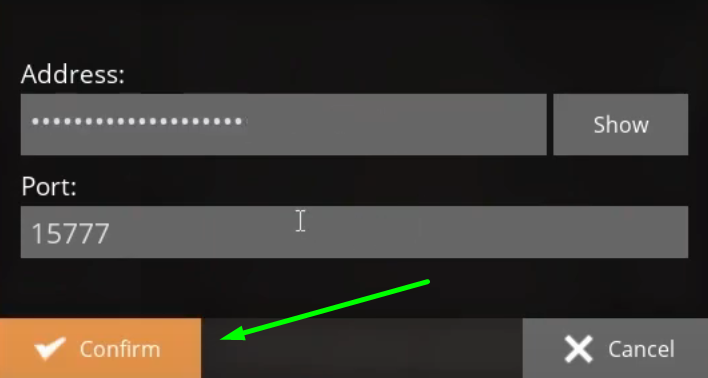
Example address: 111.122.133:23145
NOTE
The part before the colon is the address itself, and after it is the port
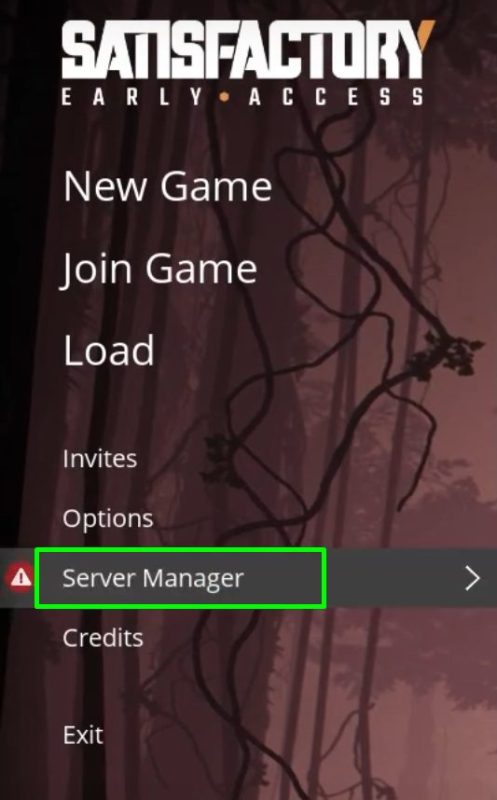
2) Open the game and click the Server Manager button in the main menu.
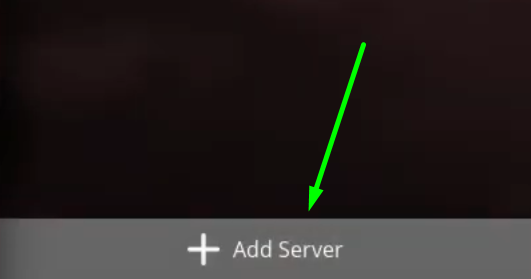
3) Click the Add Server button. You will see a window with two lines. In the Address line, enter the IP (numbers before the colon), and in Port - the numbers after the colon. 111.122.133:23145. Now you can join the server.
IMPORTANT
If you are adding this server for the first time, you need to fill in a few more lines, which we will show below
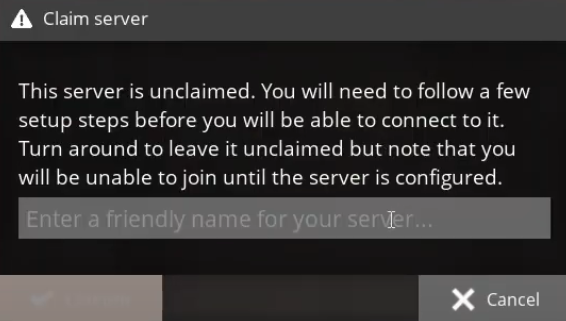
4) In the Claim server window, enter the server name.
5) If this is your server, you can set the login and password for administrator rights in the Set admin password window.
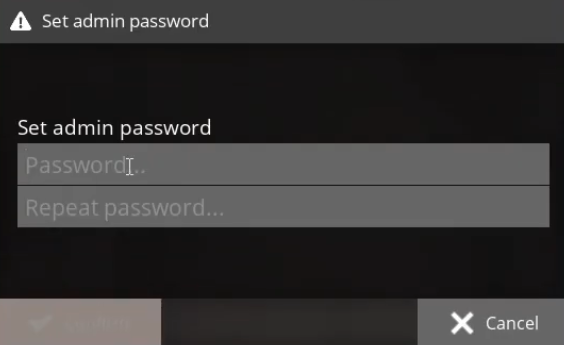
6) Now, enter the name of the game session and set up automatic connection to the server, then click the Create Game button.
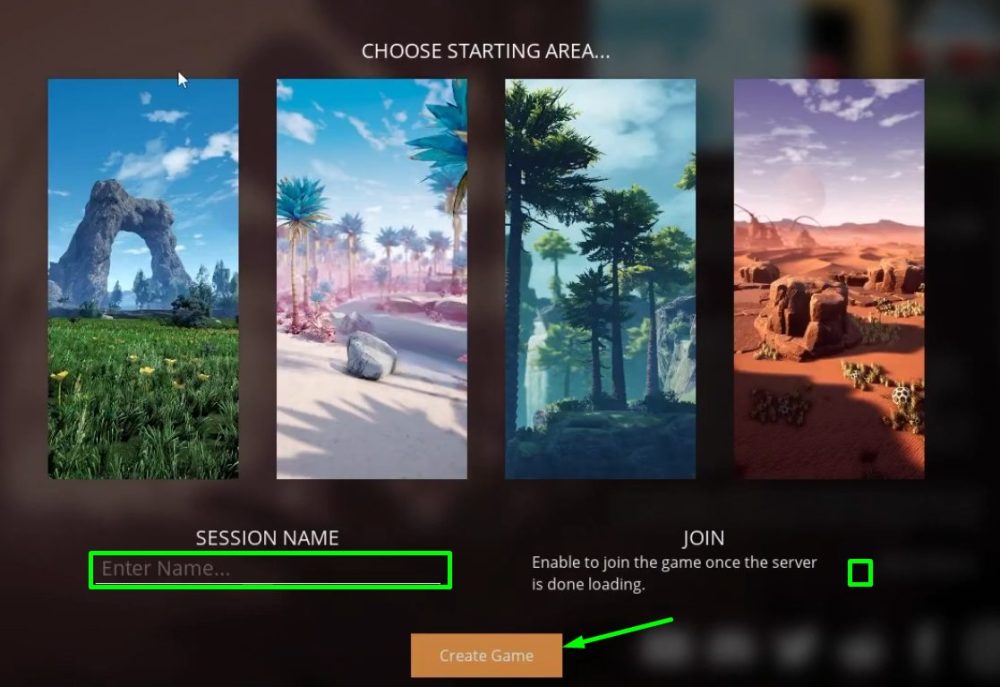
7) Click Join Game and start playing.
TIP
Learn more about setting up a Satisfactory server
Common server errors
- Your connection to the host has been lost error:
This error relates to your connection to the server. Check your internet connection and its speed. Also, it may be caused by mods or corrupted game files. For long‑term stability, run the server on the best vps for gaming to minimize disconnects. - That address does not seem to be valid error:
If you see this error, check if the IP address is entered correctly. Check the port and IP, they were written in the corresponding lines. Also, the server may be offline, leading to this error. - This server appears to be offline error:
This error relates to the server's operation. It may be offline or in a loading state, for example, if it was just launched and has not finished loading yet.
Now you know how to start a multiplayer game on the Satisfactory server with friends and other players. Play together with GODLIKE.
Read Next
-
Satisfactory 1.0: Complete Overview & Features
The Arrival of Satisfactory 1.0 – What’s New? After a long period of anticipation, Satisfactory 1.0 was officially released on September 10, 2024, marking the end of its early access phase. This massive update introduces…
