


 en | USD
 CHAT WITH GODLIKE TEAM



How to Remove the Wanted Status in Palworld

- 3 min read
- 1 views
- 0 likes
Wanted Status in Palworld
In the expansive world of Palworld server hosting, players can engage in various activities, from building and crafting to capturing and battling alongside creatures known as "Pals." However, certain actions can lead to a "Wanted" status, marking the player as a criminal and attracting the attention of the Palpagos Island Defense Force (PIDF). Understanding how to manage and remove this status is crucial for a seamless gaming experience.
TIP
What Triggers the Wanted Status?
The Wanted status is activated when players commit specific unlawful actions within the game. These actions include:
-
Assaulting NPCs or Pals – Attacking or killing non-player characters or Pals without provocation is considered a criminal act.

-
Trespassing – Entering restricted areas, such as Wildlife Sanctuaries, without permission can result in a Wanted status. The game notifies players with a "Criminal activity underway..." message upon unauthorized entry.
-
Attempted Human Capture – Trying to catch human characters using Pal Spheres is deemed illegal and will trigger the Wanted status.
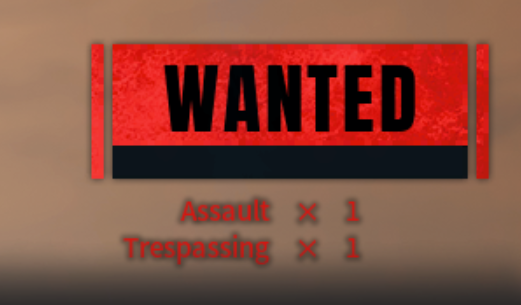
Consequences of Being Wanted
Once marked as Wanted, the PIDF will actively pursue the player, attacking on sight. The intensity of the pursuit correlates with the severity of the crime, leading to relentless chases that can disrupt gameplay.
TIP
Methods to Remove the Wanted Status
Players have several strategies to eliminate the Wanted status:
1. Surrender (Death)
Allowing the PIDF to defeat you is the simplest method. Upon respawning, the Wanted status is cleared. However, players will need to retrieve their dropped items, which are marked by a visible beam and map icon.

2. Evade and Hide
Escaping the PIDF and staying out of their sight for a certain period will lead to them abandoning the chase, thus removing the Wanted status. Effective hiding spots include large bones or crevices where the PIDF cannot reach.
3. Eliminate Witnesses
If no witnesses remain to report the crime, the Wanted status can be avoided or removed. This requires swiftly and discreetly neutralizing any observers before the PIDF is alerted.
4. Combat the PIDF
Players equipped with high-level gear and powerful Pals can choose to confront and defeat the PIDF forces. Successfully doing so will clear the Wanted status, but this approach is risky and not recommended for the unprepared.

5. Exit and Reload
Exiting to the main menu and reloading the game can instantly remove the Wanted status without further consequences. This method is quick but may break immersion.
Preventive Measures
To avoid acquiring a Wanted status:
- Exercise Caution – Avoid attacking friendly NPCs or Pals unless necessary.
- Heed Warnings – Pay attention to in-game notifications about restricted areas to prevent accidental trespassing.
- Aim Carefully – Be cautious when using weapons like the Three Shot Bow to prevent accidental hits on non-hostile characters.
Result
Enjoyed reading the guide? Visit our Blog section and learn even more exciting things about your favorite games! Play together with GODLIKE.
Read Next
-
Best Palworld Mods (2025): Install, Compatibility & Our Top Picks
TL;DR Palworld server hosting modding on PC (Steam/Game Pass) uses community loaders and a simple Mods folder + Mods.txt. For multiplayer, every player including the host must run the exact same build. Back up your…
-
Palworld Halloween Event 2025 (v0.6.8): Dates, Patch Notes, Rewards & How to Start
• Update Build: v0.6.8 • Platforms: PC/Steam, Xbox Series/One, PS5 TL;DR Start date: October 23, 2025 alongside the Palworld server hosting update v0.6.8. End date TBA. New content: a limited-time Halloween mission to unlock Zoe’s Halloween…
-
Best Palworld Server Hosting (2025): 12 Providers Compared & Ranked
Palworld Server Hosting Running your own Palworld server is the greatest method to play an open world survival game with a lot of strange creatures without lag. You’ll have more control, stability, and privacy. This…


