


 en | USD


 CHAT WITH GODLIKE TEAM



How to turn on coordinates in Minecraft Bedrock Edition

- 2 min read
- 1 views
- 2 likes
Minecraft Bedrock Coordinates
Enabling coordinates in Minecraft Bedrock Server hosting significantly enhances the gaming experience by providing precise navigation and building assistance. Coordinates indicate a player's exact position within the Minecraft world, defined by three key values: X (horizontal axis), Y (vertical axis), and Z (depth).
TIP
Activating Coordinates in Single-Player Worlds
To enable coordinates in your single-player Minecraft Bedrock game, follow these straightforward steps:
1) First, join or create your World.
2) Then Press ESC and go to the Setting's Tab.
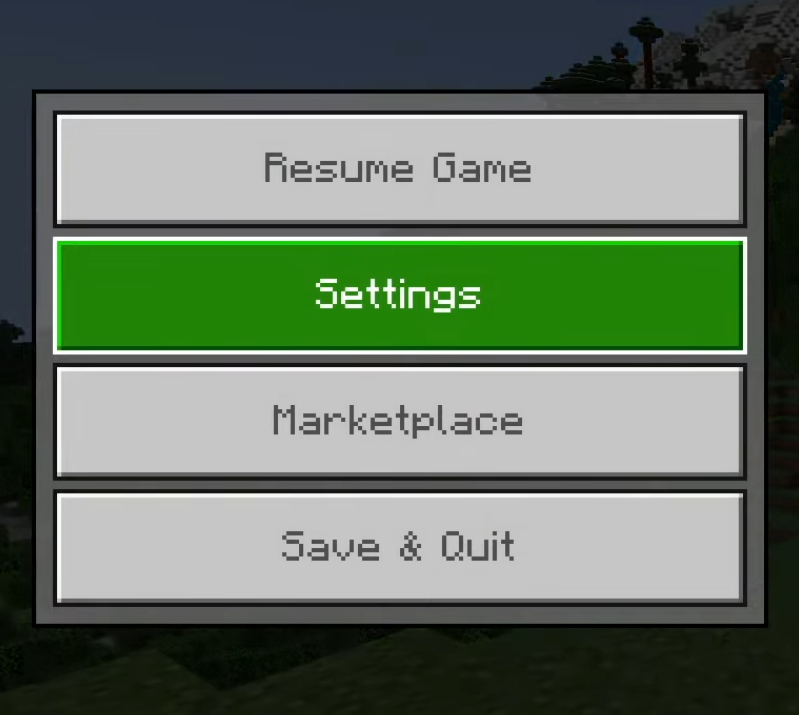
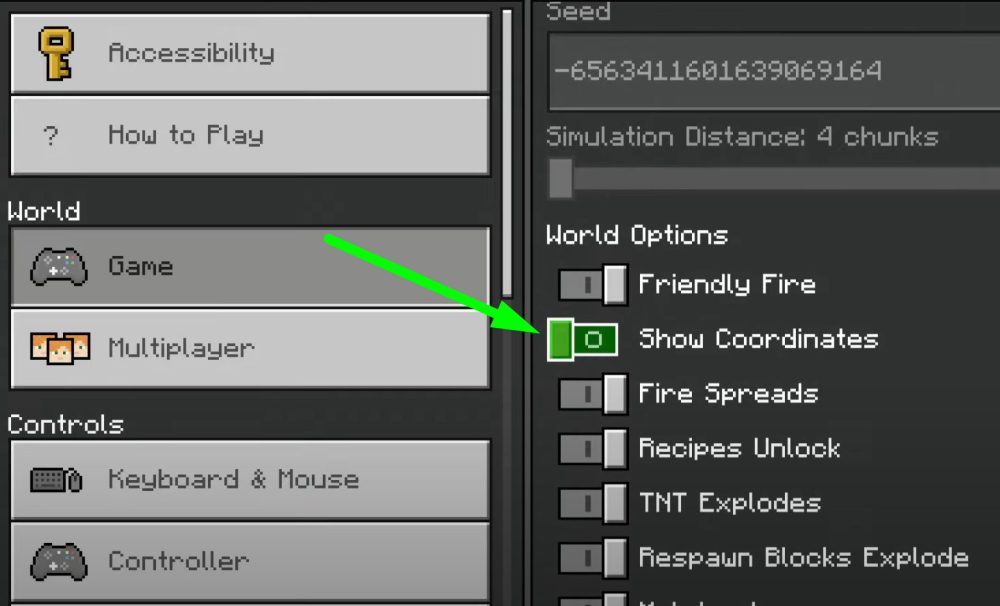
3) Navigate to the "Game" settings section and locate the "Show Coordinates" option.
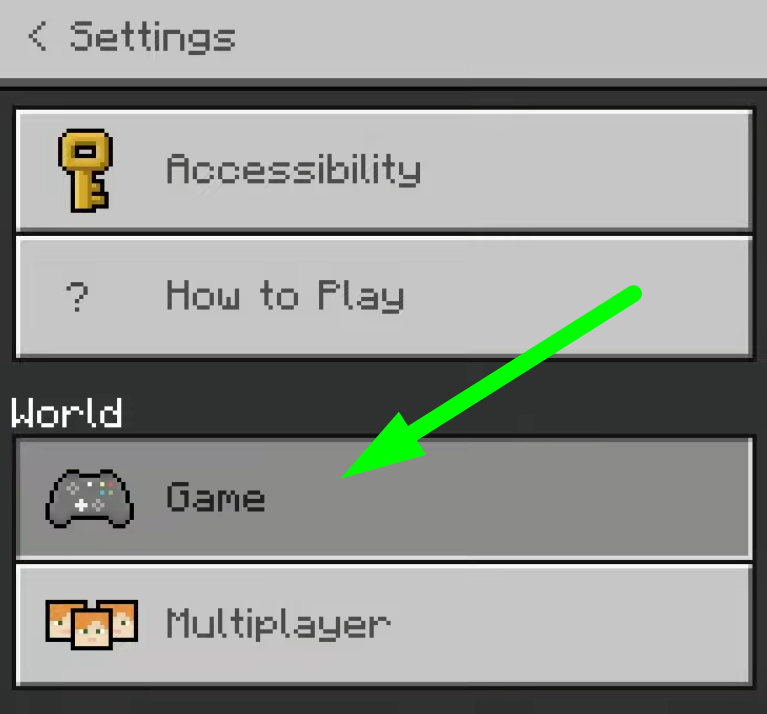
4) Toggle this setting to "ON."
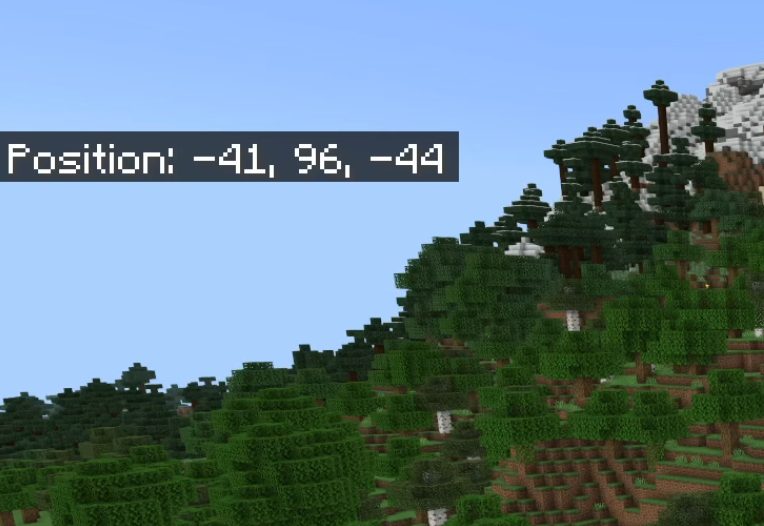
5) After all you'll immediately see your current position displayed clearly on your screen.
Turning On Coordinates for Bedrock Multiplayer Servers
TIP
If you're running a multiplayer server, enabling coordinates for all players requires administrative privileges:
1) First, confirm that server commands (often referred to as cheats) are enabled.
2) Open your server console or chat command interface.

3) Enter the following command:
gamerule showcoordinates trueOnce executed, all connected players will automatically see their coordinates at the top of their screens, helping facilitate team exploration and coordinated building projects.
Result
To enable coordinates in Minecraft Bedrock Edition, go to your world settings and toggle "Show Coordinates" to ON, or for multiplayer servers, enter gamerule showcoordinates true in the server console.
Enjoyed reading this guide? Check out our Blog section to discover even more fascinating insights about your favorite games! Play together with GODLIKE.
Read Next
-
Copper Golem in Minecraft (2025): Status, Mods, Oxidation, Statue Build & FAQ
TL;DR There is no copper golem in vanilla Minecraft server hosting (Java or Bedrock) as of 2025. It was a Mob Vote 2021 candidate and didn’t make it into the base game. You can still use…
-
Minecraft Mods (1.21): Best Mods, Modpacks, and How to Install (Fabric, Forge, NeoForge)
TL;DR In Minecraft server hosting Java mods are .jar files loaded by Fabric, NeoForge (modern Forge fork), Forge, or Quilt. Put the mod in the /mods folder for the chosen profile. Minecraft: Java Edition is…
-
Smithing Table in Minecraft (1.21+): Recipe, Uses, Templates & Toolsmith Guide
TL;DR In Minecraft server hosting, the block’s core purpose is upgrading gear via smithing templates not repairing. The crafting recipe is simple: two iron ingots plus four planks of any wood. What it is: a…


