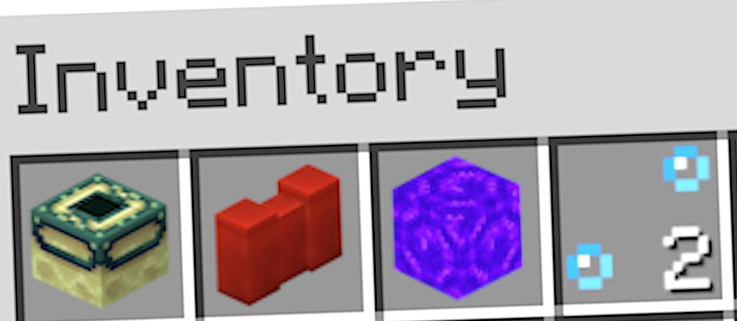
Every year, Minecraft receives new updates—some filled with quirky glitches and others introducing fascinating new elements. Among these updates are playful April Fools' versions and full releases that unlock access to what players often call "illegal blocks." Have you ever wondered how to obtain command blocks in survival mode? Or perhaps barrier blocks? Minecraft offers numerous restricted blocks, and many of them are obtainable without using cheat commands. From Java to Bedrock Edition, there are plenty of strategies for acquiring these blocks, though only one method works across both versions. Let’s explore how to acquire these rare blocks!
The allure of acquiring restricted blocks in Minecraft is undeniable—a challenge many players undertake at some point. Bedrock Edition is a popular starting choice since it's widely accessible. Utilizing glitches and expertise in Redstone mechanics is a well-known way to acquire these blocks. But did you know there are two special Minecraft versions where you can literally grab anything? Due to their incompatibility, specific chunks must be transferred to your main world. However, this process carries risks, including potential world corruption—so proceed carefully.
Switching Minecraft Versions
Switching to older Minecraft versions allows players to capture restricted blocks and transfer them to their primary world. For instance, Snapshot 20w16a contains a barrier block hidden within one of the Nether bastions! Why it’s there remains a mystery, but it does exist. Using this knowledge, you can switch to another snapshot, collect it, and transfer the block data to your other worlds. Below are the Minecraft versions needed for such adventures. If you decide to proceed, always back up your world data.
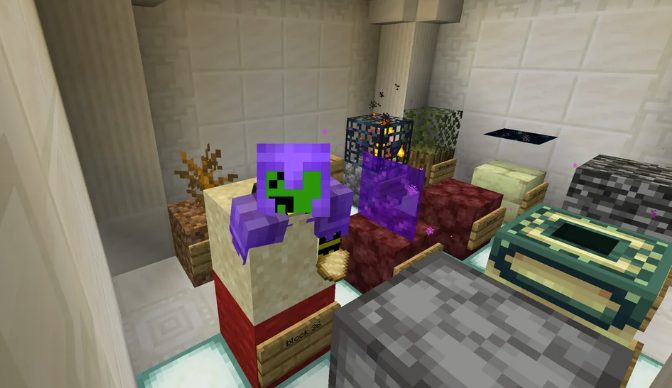
This snapshot, initially released as an April Fools' joke, forever changed dimensions and became one of the most infamous versions. In Snapshot 20w14Infinite, throwing a written book into a Nether portal generates a completely new dimension. The most useful dimension for collecting restricted blocks is “Skygrid,” containing every imaginable block, including those that shouldn’t exist in the game. By exploiting glitches, you can gather them all!
Minecraft Snapshot 22w13oneBlockAtATime
For certain blocks, another version is required—Snapshot 22w13oneBlockAtATime. Set up your operating setup, switch to this snapshot, and take advantage of its mechanics. Some Redstone contraptions might be needed depending on your skill level. Once collected, throw the block into the air to make it land on your character’s head. This allows you to transfer the block and save it in another world. This snapshot is incredibly useful for various strategies! If you choose this path, good luck—it demands skill and patience.
Using Glitches and Exploits
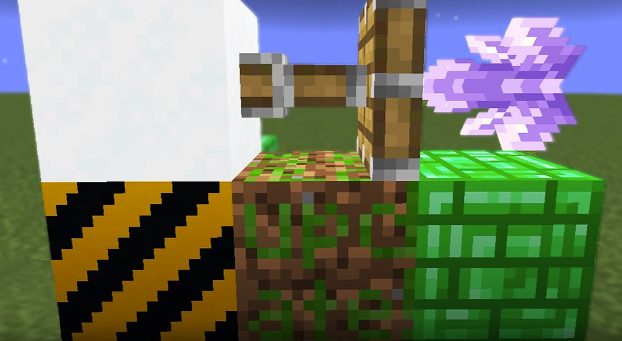
As mentioned earlier, using glitches remains a viable method for obtaining restricted blocks in Minecraft, even in Bedrock Edition. For example, creating a unique Redstone contraption allows players to mine Nether portal blocks. Numerous tutorials explain these techniques, with many more available for Java Edition. Consider these methods when attempting to collect restricted blocks.
Summary
Whether you're after bedrock, End portal frames, or other restricted blocks, there’s always a way to do so in Minecraft survival mode. The main challenge lies in the complexity and patience required for most methods—especially when it comes to transferring world fragments or player data, which pose the biggest obstacles.
If you’re curious about seeing the entire process in action, check out videos of players collecting all the restricted blocks in Minecraft! Who knows—you and your friends might decide to try something similar on your own dedicated server. Good luck and happy crafting!
I’m Mr.Brauwn, and I’ve been part of the Minecraft world for over 10 years. Like many others, I started playing with friends in the early versions, but soon I discovered that servers had enormous potential to create unique experiences. Servers and Projects Over time, I specialized in creating custom servers, developing private projects, events, and collaborations with content creators. Configuring plugins, designing systems, and shaping communities quickly became an essential part of my daily life. The Leap into Content Creation After so many years working on servers, I realized I could also share all that knowledge and those experiences visually. That’s how I started streaming on Twitch, showcasing my own servers and playing on them with the community. From Twitch to YouTube Later on, I understood that this content shouldn’t only remain in livestreams. I decided to launch my YouTube channel, where I share curiosities, tutorials, plugin reviews, updates, and technical aspects of Minecraft. It’s a space for other players and creators to discover the same potential I once found in this game. What Minecraft Means to Me For me, Minecraft is more than just a game. It’s a part of my daily life: recording, editing, testing mods, configuring plugins, building, and sharing with my community. After more than a decade, my goal remains the same: to create, inspire, and enjoy this infinite world alongside everyone who joins me on the adventure.
Minecraft Server moddato Siete alla ricerca di un server host affidabile che sia in grado di gestire diversi modpack senza che si verifichino problemi di rubber-banding, rottura dei backup o un labirinto di file di…
In Minecraft le mensole per server hosting sono un nuovo modo, orientato alla visualizzazione, per tenere gli elementi essenziali a portata di mano. Pensate a questi scaffali come a dei contenitori ordinati e montati a…
Per anni, il rame nell’hosting dei serverMinecraft è stato per lo più un giocattolo per costruttori: bei blocchi, ossidazione soddisfacente, scarso impatto sulla sopravvivenza quotidiana. Quell’era sta finendo. Le build di prova incentrate sul rame…


 it | USD


 Discord
  Base di conoscenze
  Blog
Blog  Informazioni sul pannello
  Reti sociali
  Stato del server
  Programma di affiliazione
  Sponsorizzazione
  Il nostro team
  Contatto