


 en | USD


 CHAT WITH GODLIKE TEAM



FOV Setting in Minecraft

- 4 min read
- 1 views
- 0 likes
Game Interface and FOV
While navigating the unpredictable terrain of Minecraft—whether during combat or resource gathering—the field of view (FOV) significantly impacts your overall experience. This setting determines how much of the world—blocks, creatures, and other objects—you can see in your line of sight. Essentially, it shapes how your avatar perceives and interacts with the environment. Experienced PvP players often adjust FOV for strategic advantages, while others may not yet have explored this potential. Naturally, this raises the question: what is the most optimal FOV setting in Minecraft? Although it depends on individual playstyles, the maximum setting typically provides the widest perspective, improving visibility. Don’t worry; we’ll break down the various FOV options in Minecraft to help you optimize your gameplay. Let’s dive in!
TIP
Types of FOV in Minecraft
Given the critical role FOV plays, different activities in Minecraft call for different settings. For instance, scouting for bases to raid on multiplayer servers may require an increased field of view. Conversely, a wider FOV becomes indispensable during combat with enemies or hostile mobs, as limited vision can lead to defeat. In Minecraft, there are three main categories of FOV, each serving an important function. Switching between them is common in both multiplayer and single-player modes—even in Bedrock Edition—though it’s more popular among Java enthusiasts. Below are the most popular FOV configurations, each with its own advantages.
TIP
Quake Pro
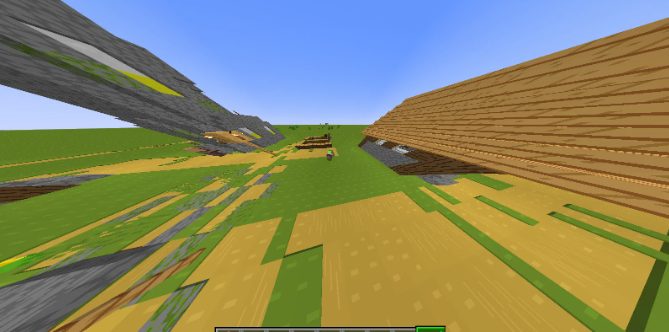
Let’s start with Quake Pro, which maximizes visibility with an FOV value of 110—the highest possible setting. This is a popular choice among players because of its convenience during combat, parkour, and exploring complex cave systems. Nobody wants a creeper sneaking up on them again, right? Quake Pro is perfect for avoiding such surprises. However, some may find that the extended field of view makes blocks appear smaller or farther away. It takes some getting used to, but once adapted, it greatly enhances the gameplay experience.
Normal
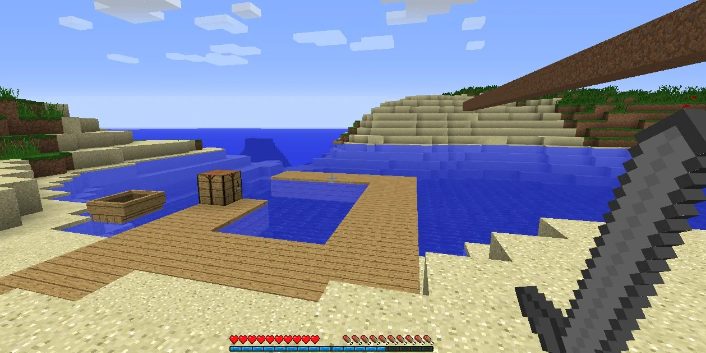
Normal FOV, set at a value of 70, is the standard choice for most players. Whether you’re building complex structures or engaging in combat, this all-around option works well for all activities. Many in the community consider Normal FOV to be the most balanced choice, and it’s hard to disagree, as it comfortably supports any task in the game, providing a familiar and consistent view.
Zoomed In
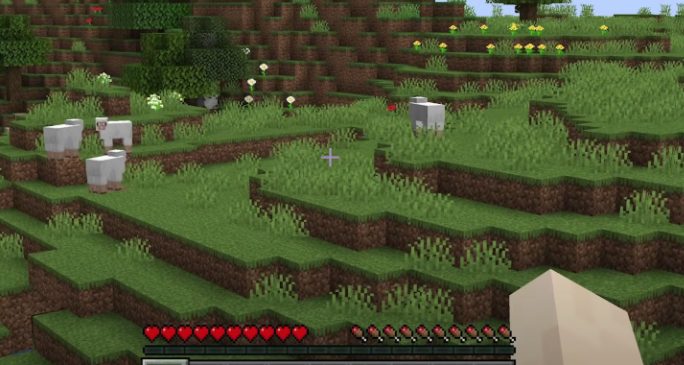
When exploring Minecraft’s vast biomes, you may notice interesting landmarks or areas on the horizon. Pinpointing exactly what you’re seeing can be tricky, and this is where Zoomed-In FOV comes in handy. With a minimum value of 30, this option allows for detailed observation of blocks, creatures, and items, particularly for players who prefer to play without mods like Optifine. It’s an ideal choice for scouting specific locations, buildings, or even other players.
Conclusion
Determining the "best" FOV in Minecraft ultimately comes down to personal preference, but the three options described—Quake Pro, Normal, and Zoomed In—are the most common. You can adjust these settings in the menu, tailoring your field of view to enhance various in-game activities, whether combat, exploration, or construction. Experimenting with different FOV settings can elevate your experience, making gameplay more enjoyable.
We hope this guide helps you navigate the best FOV settings in Minecraft. Happy gaming, players!
Read Next
-
Copper Golem in Minecraft (2025): Status, Mods, Oxidation, Statue Build & FAQ
TL;DR There is no copper golem in vanilla Minecraft server hosting (Java or Bedrock) as of 2025. It was a Mob Vote 2021 candidate and didn’t make it into the base game. You can still use…
-
Minecraft Mods (1.21): Best Mods, Modpacks, and How to Install (Fabric, Forge, NeoForge)
TL;DR In Minecraft server hosting Java mods are .jar files loaded by Fabric, NeoForge (modern Forge fork), Forge, or Quilt. Put the mod in the /mods folder for the chosen profile. Minecraft: Java Edition is…
-
Smithing Table in Minecraft (1.21+): Recipe, Uses, Templates & Toolsmith Guide
TL;DR In Minecraft server hosting, the block’s core purpose is upgrading gear via smithing templates not repairing. The crafting recipe is simple: two iron ingots plus four planks of any wood. What it is: a…


